What is a Terminal?
A terminal is a device used for entering data into (input) and presenting data from (output) a computer system. Early terminals were physical devices with keyboards and paper or screen displays that communicated with computer systems using serial connections. While modern terminals are software applications running in graphical environments, they still emulate the behavior of these historical devices.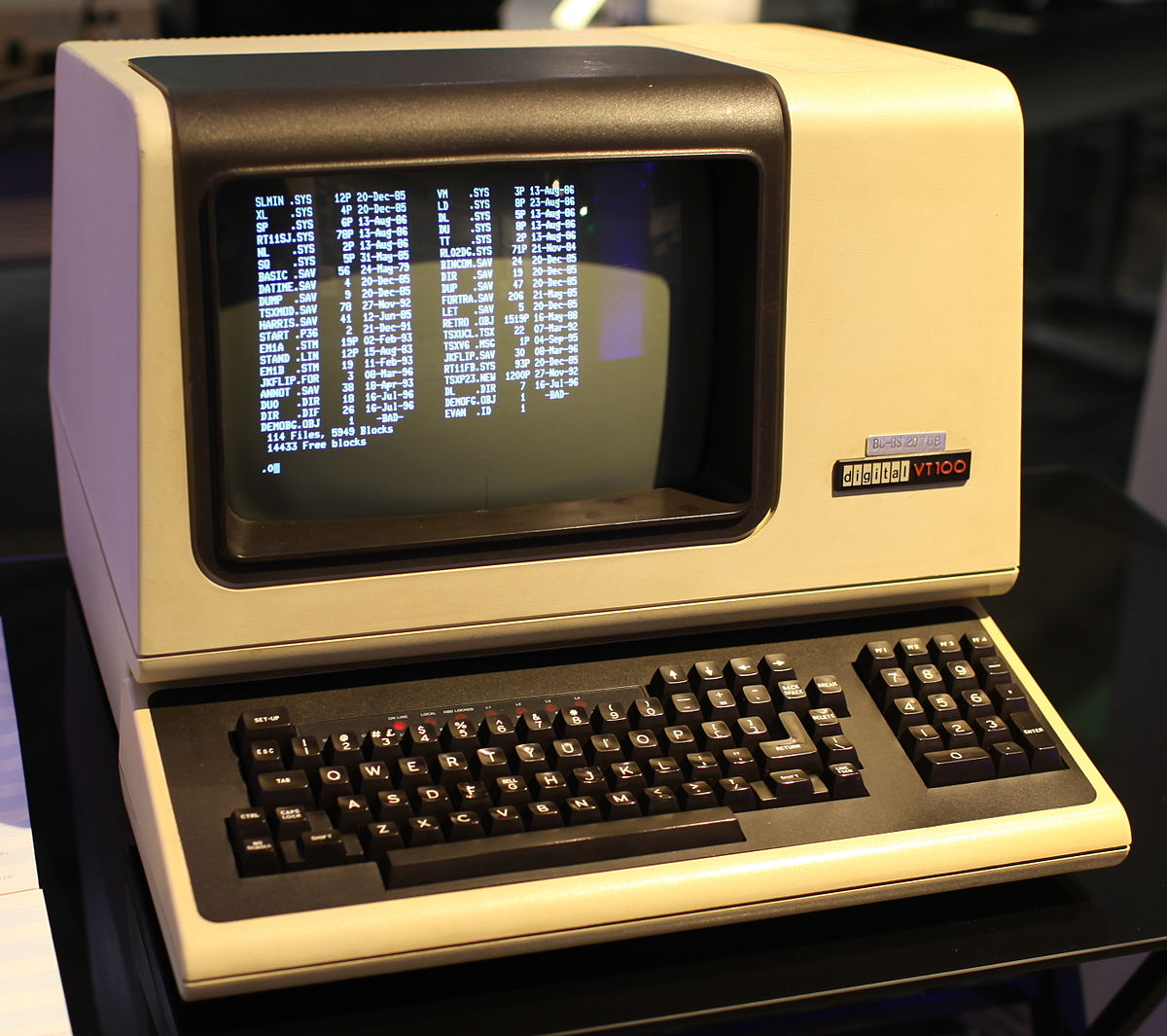
Terminal Architecture
Understanding how terminals work requires knowing about several interconnected components:1
TTY (TeletYpe) Interface
On Unix systems, the kernel provides a TTY subsystem that manages:
- Input data stream (keyboard)
- Output data stream (display)
- Flow control and signal management
- Basic stream operations like line buffering
2
Shell Program
A shell (like bash, zsh, or fish) interprets your commands and launches programs. It communicates with the terminal through the TTY interface.
3
Terminal Emulator
WezTerm and other terminal emulators create a graphical window that emulates a physical terminal device, interpreting escape sequences to display formatted text.
Data Flow
ANSI Escape Sequences
Terminals use ANSI escape sequences to control text formatting, colors, cursor positioning, and other display features. These are special byte sequences that begin with the ESC character (0x1B).The ANSI X3.64 standard (also published as ECMA-48) standardized these escape sequences to ensure compatibility across different terminal implementations.
\033[1m- Bold text\033[31m- Red text color\033[2J- Clear screen
Terminfo and Terminal Capabilities
Since not all terminals support the same features, systems use terminal capability databases:- termcap - Original terminal capability database
- terminfo - Modern, more extensible successor
TERM environment variable to look up the correct escape sequences for your terminal. WezTerm typically sets TERM=xterm-256color or similar.
Standard Streams
Unix programs use three standard I/O streams:stdin (Standard Input)
stdin (Standard Input)
File descriptor 0 - Receives input from the terminal (typically keyboard input)
stdout (Standard Output)
stdout (Standard Output)
File descriptor 1 - Normal program output sent to the terminal display
stderr (Standard Error)
stderr (Standard Error)
File descriptor 2 - Error messages and diagnostics, also sent to the terminal display
From the terminal’s perspective,
stdout and stderr are the same stream. The terminal only has a single output channel.Pseudo Terminals (PTY)
Modern terminal emulators like WezTerm use PTYs (Pseudo Terminal teletYpes) - virtual TTY interfaces that exist entirely in software. A PTY has two sides:- Controller side (master) - Managed by the terminal emulator (WezTerm)
- Client side (slave) - Connected to the shell and applications
PTY Features
PTYs provide:- Window size information (rows and columns)
- Signal handling (Ctrl+C, Ctrl+Z)
- Dynamic resizing notifications
- Multiple virtual terminals from a single application
Signals and Job Control
The TTY/PTY layer translates certain key combinations into signals:Windows and ConPTY
Windows historically used a different console architecture than Unix systems. Modern Windows includes ConPTY (Console Pseudo-Terminal), which provides PTY-like functionality.When running on Windows, WezTerm uses ConPTY along with a helper process (
openconsole.exe or conhost.exe) to translate between Unix-style terminal semantics and Windows console APIs.- ConPTY includes its own terminal emulator layer
- Must maintain backwards compatibility with legacy Windows console programs
- Some edge cases behave differently than Unix PTYs
Running Programs
When a shell spawns a child process:- The shell passes the PTY file descriptors to the child
- The child process writes directly to the PTY
- The shell is not involved in data transfer
- The foreground process receives keyboard input and signals
Foreground vs Background Processes
Foreground vs Background Processes
Only the foreground process is considered “active” for receiving input and signals. Background processes (started with
&) continue running but don’t receive terminal input.Key Takeaways
1
WezTerm creates PTYs
Each tab or pane in WezTerm gets its own PTY, which acts as a virtual terminal device.
2
Shells interpret commands
Your shell (bash, zsh, etc.) reads commands and launches programs, but doesn’t control terminal display.
3
Escape sequences control display
Applications send ANSI escape sequences through the PTY to control colors, cursor position, and text formatting.
4
WezTerm renders the output
WezTerm reads escape sequences from the PTY and renders them in the GPU-accelerated display.
Learn More
- Multiplexing - Learn about WezTerm’s tabs, panes, and domains
- Shell Integration - Enhanced shell features with OSC sequences
- Escape Sequences - Complete reference